Product Notes
Needs Action vs Watching: How Radar Sorts Your Day
Radar splits the day's tournament changes into two lists — things you have to decide on, and things you just want to know. Here's how that one split saves a busy tennis family a lot of grief.

There are two ways a tournament family gets into trouble, and they look like opposites.
The first is living in the federation portal. You refresh the acceptance list before school, at lunch, in the car park, at eleven at night. Every list move sets off a small adrenaline hit. You are technically informed and quietly frantic, and you still could not tell me, on any given Tuesday, which of the fifteen things you saw actually needed you to do something.
The second is the opposite failure. You get busy — work, the other kid, a normal life — and you check nothing for a week, and you miss the one entry deadline that mattered. Not because you did not care. Because the signal was buried under a month of updates that did not.
Both families are trying to solve the same problem badly: they cannot tell, at a glance, the difference between a thing happened and you have to decide something. That difference is the whole job. And it is the one thing Radar is built to do for you.
Two lists, not one feed
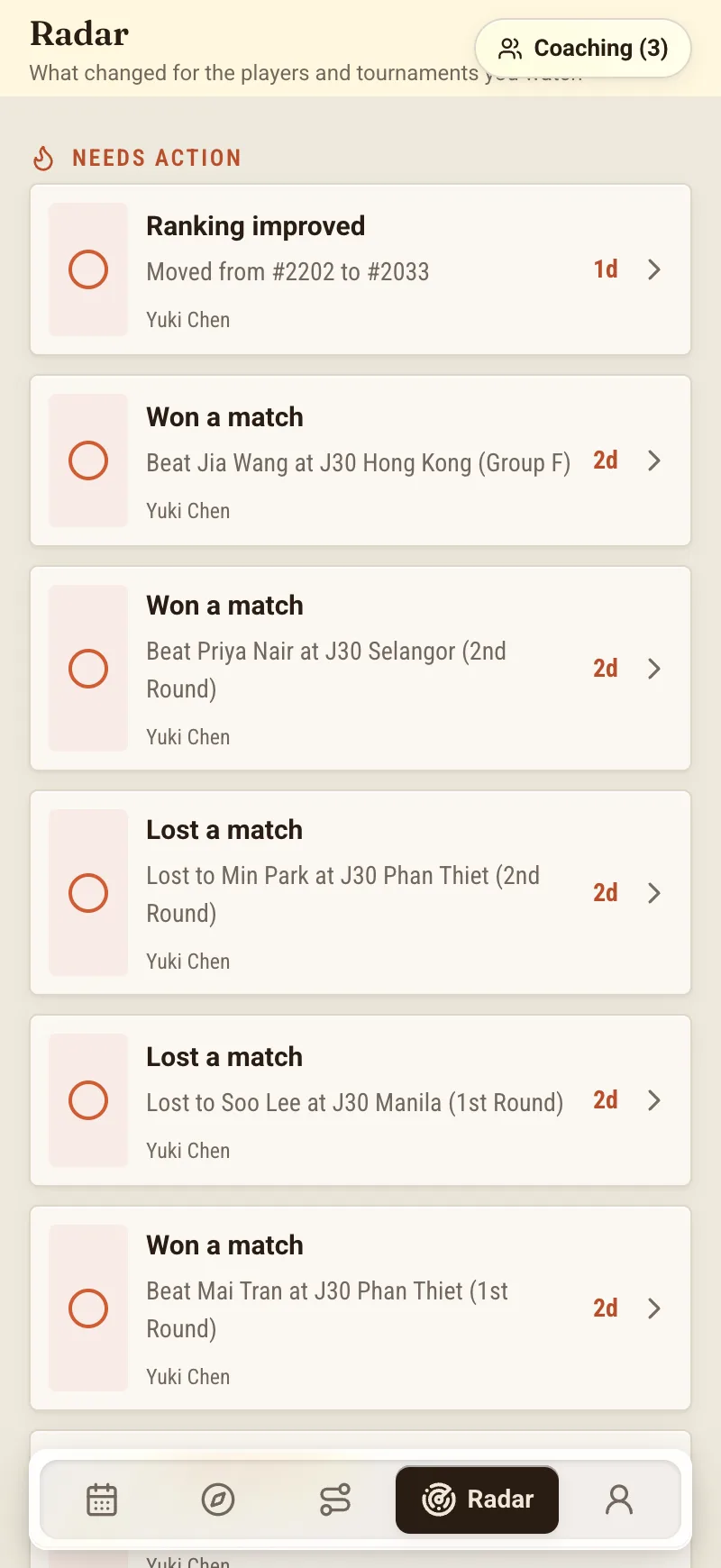
Radar is NextPoint's daily change feed — a once-a-day digest of what actually moved across the tournaments and players you follow. If you want the full tour of how the feed is built, that lives in Meet Radar: Your Daily Change Feed. This piece is about one design choice inside it, the choice I think does most of the work.
Radar does not hand you a single scrolling list of everything that changed. It splits the day into two:
- Needs action — changes with a decision or a deadline attached to them.
- Watching — quieter updates you want to know about but do not have to do anything about.
That is it. Two buckets. But that one split turns a wall of updates into a triage list, and triage is exactly the skill a busy season demands.
What lands in "Needs action"
The top list is the short one, and it should be. These are the things where the clock is running or a choice is genuinely on the table. In practice they tend to be:
- An entry deadline inside the alert window. A tournament you were considering is coming up on its close date. This is the one that ruins seasons when it slips. Radar surfaces it while there is still time to actually enter, not the morning after.
- A withdrawal deadline. You committed, and now the last date to pull out without a penalty — or to free up the week for something better — is approaching. That is a decision, so it goes up top.
- A sign-in. Your junior is accepted, and the on-site sign-in has a stated time. Miss it and an earned place is simply gone. Nothing is more worth an alert than a place you already have.
- A list move that changes the call. An alternate spot that just became a qualifying place. A cut line that drifted toward your junior at an event that tends to move. In other words, a change big enough that whether you commit and travel is now a live question rather than a settled one.
The connecting thread is that every item in this list ends in a question only you can answer: do we enter, withdraw, commit, get on the plane? Radar is not answering it for you. It is making sure the question reaches you while you can still act on it.
What lands in "Watching"
The bottom list is the longer, calmer one — the news that is genuinely news but does not need a response today:
- A watched player entered an event. Good to know, maybe a rival or a hitting partner, but nothing for you to do.
- A list shifted slightly. Your junior moved a place or two, well inside their group, nowhere near a line that changes the plan.
- A pinned event had a minor change. A schedule tweak, a small detail update on a tournament you flagged to keep half an eye on.
None of these are noise, exactly — you asked to follow these players and events, and you would rather know than not. But they do not belong in the same visual space as a sign-in you cannot afford to miss. Kept separate, they become what they should be: a quick glance, a nod, on with your day.
The habit this is actually for
The reason the two lists matter is that they let you run Radar as a habit instead of a compulsion.
Here is the whole routine. Once a day — I do it with coffee — you open Radar. You clear Needs action: for each item you either do the thing, decide you are not doing the thing, or note when you will. That list is short by design, so clearing it is a five-minute job, not a project. Then you glance at Watching, take in what moved, and close the app.
That is the entire discipline. You are not refreshing a portal fifteen times. You are not hoping you did not miss anything. You checked the list that could hurt you, you skimmed the list that could not, and you are done until tomorrow. The split is what makes "once a day" safe — because you can trust that the thing with a deadline on it climbed to the top on its own, rather than hiding three-quarters of the way down a feed you stopped reading on a bad week.
That trust is the point. A family that believes the important thing will rise to the top is a family that can put the phone down.
A few honest lines about what Radar is not
I lean on this feature without embarrassment, but I want to be straight about its edges, because overselling it would defeat the purpose.
Radar is a daily digest, not live scores and not a real-time integration. It is not pinging you the instant something changes on tour, and it is not a scoreboard. It reads from ITF and Tennis Europe as data sources — not affiliations, not endorsements — and gathers what moved into one calm, once-a-day view.
The federation portal remains the source of truth. If Radar and the official page ever disagree, the official page wins, full stop. Radar's job is to point you at the right moment; the portal is where the moment is real.
And NextPoint does not enter, withdraw, or pay for you. When "Needs action" tells you an entry deadline is close, you still go and do the entry, in the official system, yourself. Radar carries the alert to your door. It does not walk through it. I think that is the correct division of labour — I would be nervous about a tool that quietly transacted on my child's tournament calendar — but it does mean the doing stays yours.
One more, on the list-move alerts specifically. When a change touches whether your junior is likely to get in, any read on that is an estimate, marked as such, with a confidence note — never a flat percentage, never a promise. The list keeps moving until it freezes and then keeps moving after that, so no honest tool can guarantee a place. If you want the reasoning behind why acceptance position is a starting point rather than a verdict, The 60% Rule: Why Your Acceptance Position Isn't Your Destiny lays out what the withdrawal numbers actually say.
Why this is the feature I use most
I have written before about keeping the admin off the dinner table so that when your child sits down, they are sitting with a parent and not a tournament director. Radar's two lists are how I actually manage that. The whole apparatus of a season — deadlines, moves, sign-ins, the slow churn of other people's plans — gets compressed into one short list I must act on and one longer list I merely note. Five minutes, once a day, and I am neither frantic nor blindsided.
That is the modest promise here. Not that the app will play the season for you. Just that it will tell the difference between what needs you and what doesn't, so that you can spend your attention where it counts and your evenings on something other than a refresh button.
We are in early access. If a calmer way to run the tournament week sounds like your kind of thing, you can join the waitlist.
About the author
Tom Vance is a junior coach and tennis parent who writes for NextPoint on the family side of competitive tennis. He has missed exactly one entry deadline that mattered, remembers it vividly, and has been a two-list person ever since.