Product Notes
Pin and Hide: Making Explore Your Own View
A busy tournament week can list dozens of events. Pinning the few you're serious about and hiding the rest turns that wall of options into a shortlist you can actually think with.


Open the Explore tab on a busy week and you will see the problem before you see a solution. Two dozen events, sometimes more, spread across countries and surfaces and grades, all technically available, all technically worth a look. You scroll, you squint, you tell yourself you will remember which three looked promising, and by the time you are back in the kitchen making dinner you have lost all of them.
This is not a filtering problem you can solve with sliders alone. Filters narrow the list by rules. What you actually need is a way to hold the handful you are personally considering, in your own hand, separate from everything the list happens to contain. That is what pinning and hiding are for.
What the two buttons actually do
The idea is deliberately small. As you go through Explore, you pin the events you are seriously weighing and you hide the ones that are not relevant to your player right now. Pinned events rise to the top and stay in front of you. Hidden ones drop out of the way so you stop re-reading the same clay tournament three time zones away that you were never going to enter.
What you are left with is a shortlist you built by hand: the events that survived your own judgement, not just the filter's. On a week with thirty options, that might be four. Those four are the ones worth a real conversation.
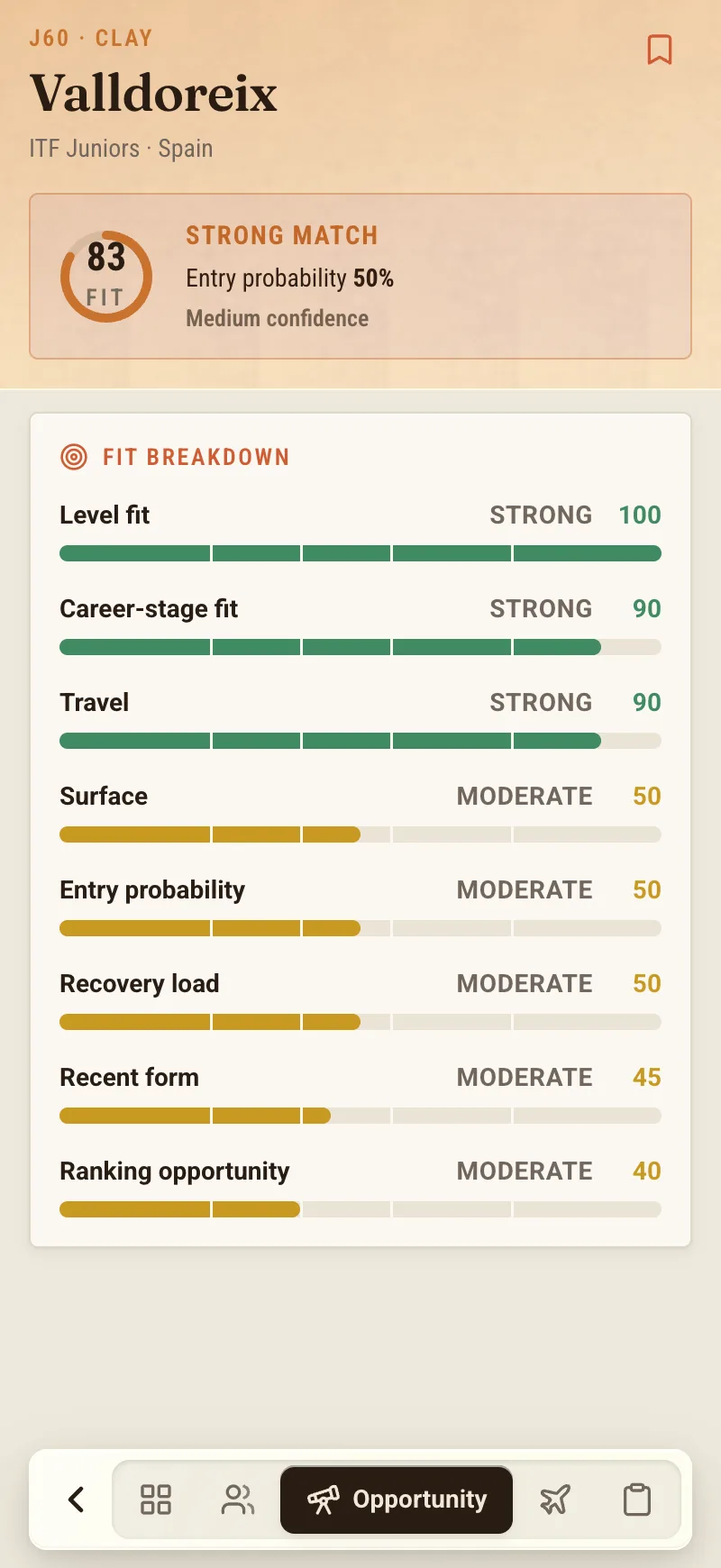
If you have not spent much time in Explore yet, the walk-through of what Explore does covers the discovery side — how tournaments from ITF Juniors and Tennis Europe get surfaced and filtered in the first place. This piece assumes you have the list in front of you and now want to tame it.
This is your view, and only your view
Here is the part I want to be completely clear about, because it is the part parents most often assume works the other way around.
Pinning an event does nothing on the official side. It does not enter your player. It does not reserve a place, hold a spot, or signal anything to a federation. Hiding an event does not withdraw you from anything, because you were never entered by looking at it. NextPoint does not enter or withdraw players at all — pinning and hiding live entirely inside your own view of the app.
I labour this because the instinct, especially late at night before a deadline, is to believe that touching something in an app must have touched the real world. It has not. ITF and Tennis Europe are where the tournament data comes from; they are sources NextPoint reads, not partners it acts on your behalf with. Your player's actual entry still happens the way it always has, through the proper federation channel. Pinning is you putting a sticky note on the fridge. It organises your thinking. It changes nothing about the tournament.
Once that lands, the feature gets easier to use, because you can pin freely. There is no cost to pinning something you later drop. You are not committing to anything. You are just building a list you can look at again tomorrow.
Cutting a week down to what you'll actually discuss
The real value shows up when it comes time to talk to the coach.
A coach does not want your unfiltered scroll. Handing them thirty tournaments and asking "what do you think?" is not a question, it is a chore you have outsourced. What a coach can work with is four: here are the ones we are genuinely considering for that week, what do you make of them. That is a five-minute conversation instead of a forty-minute one, and it is a better conversation, because you have already done the parent's share of the work — the geography, the timing, the this-clashes-with-school part — and left the tennis judgement to the person whose job it is.
So the workflow I have settled into is simple. During the week, as tournaments appear, I hide anything that is clearly wrong — wrong region, wrong surface for where my player is developing, wrong week entirely. Then I pin the maybes as I notice them, without agonising. By the time I sit down with the coach, or with my own player, the pinned list is the agenda. We are choosing among a few real options instead of drowning in all of them.
It also keeps the shortlist from evaporating between sessions. A tournament that looked interesting on Monday is easy to forget by Thursday. Pinned, it is still there when you come back, which matters more than it sounds, because the good options and the deadlines rarely arrive on the day you have time to think about them.
Where the shortlist meets the deadlines
A shortlist is only useful if it is still relevant when the decision actually has to be made, and tournament decisions are governed by deadlines that do not care whether you were paying attention.
This is where the pinned list quietly connects to the rest of the app. Once an event is on your radar — small "r" — its dates and cut-offs are the things that will eventually force a yes or no. NextPoint has a tab, Radar, whose whole job is to watch those moving parts: entry deadlines coming up, acceptance lists shifting, the calendar changing under you. I will not go deep on it here; there is more about it over on the blog. The point for now is only that pinning is the front door. You decide what you care about, by hand, in Explore. The tracking of when those things come due is a separate job the app can take off your plate.
Kept in that order, the two habits reinforce each other. Explore is where you think. Radar is where you get reminded. Neither one enters your player into anything — that decision stays yours, made deliberately, through the proper channel, when you are ready.
A small feature that removes a real friction
I am wary of writing up small features as though they were revelations, so let me keep this honest. Pinning and hiding will not plan your season for you. They will not tell you which tournament is the right one — that is a judgement for you and your coach, informed by the fit and field details Explore shows alongside each event. What they do is narrow. They take a wall of possibilities and let you reduce it to the few you will actually weigh, and then keep those few in front of you instead of in your increasingly unreliable memory.
For a job that mostly happens in stolen ten-minute windows between everything else a tennis family is doing, that turns out to be worth a lot. The week stops feeling like a list you have to conquer and starts feeling like a short set of decisions you can make calmly. That is the whole ambition here, and it is enough.
NextPoint is in early access. If you would like to try Explore and build your own shortlist, join the waitlist and we will be in touch.
About the author
Tom Vance is a junior coach and tennis parent who writes on the family side of competitive tennis for NextPoint. He has spent more weekends squinting at tournament calendars than he cares to admit, which is roughly how this feature ended up being one of his favourites.